

A workspace for boards & committees
Good decisions.
Meaningful
follow-through.
One private place for your board’s meetings, documents, decisions, and the work that comes next.
Explore the experience. Then see the product in action.
Made for people who lead together
- Nonprofit boards
- Associations
- Foundations
- Committees
From scattered to connected
Your board’s work deserves a place of its own.
Agendas in one inbox. Files in another folder. Decisions in a thread no one can find.
Boardroom brings the context together, so members can prepare, contribute, and return to the work with a clear next step.
A connected meeting cycle
From the first agenda item
to the next step.
Follow a fictional community grants proposal through a Boardroom workspace.
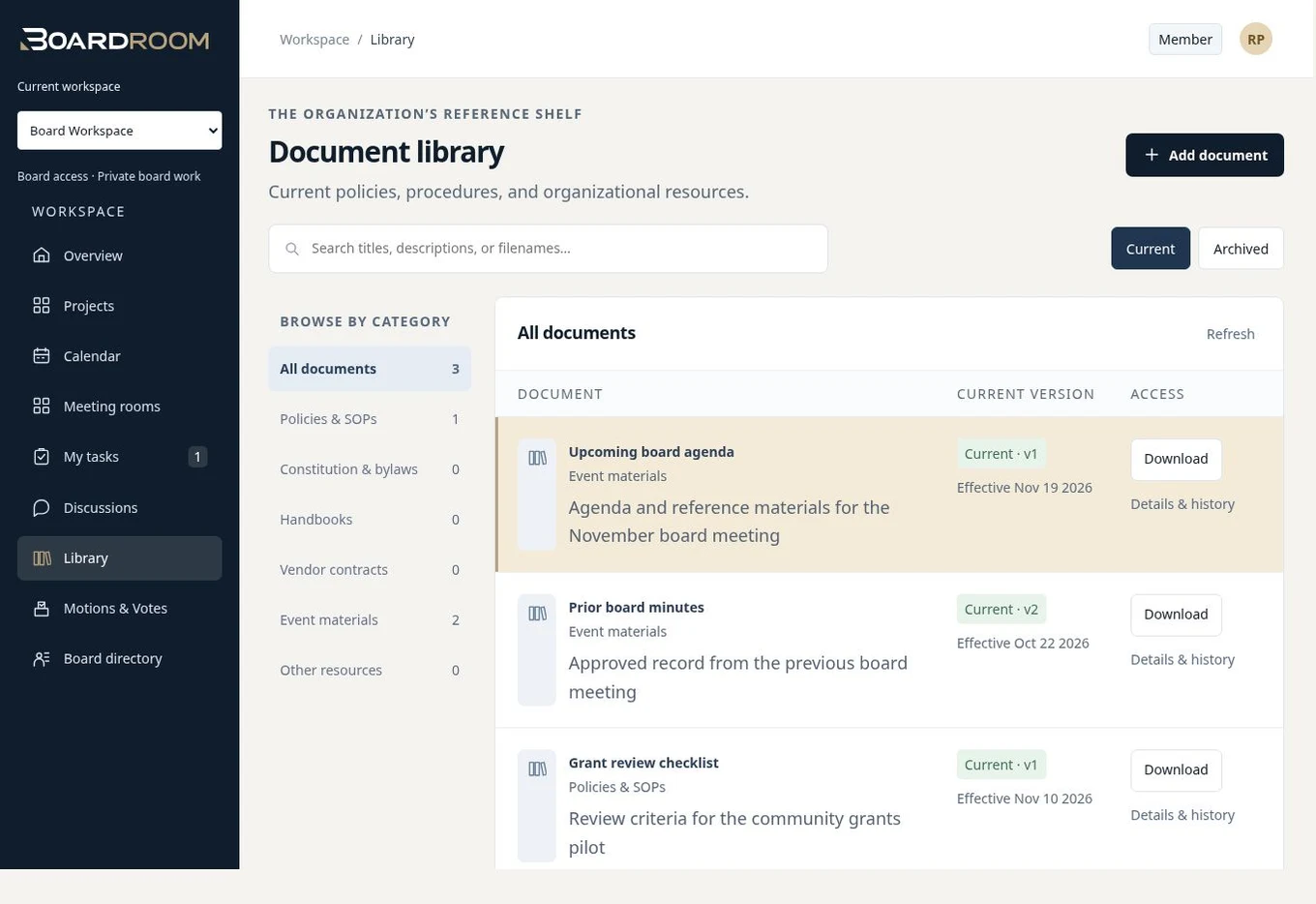
Bring the board packet into view.
Give members a shared place to review the proposal and supporting documents before the meeting.
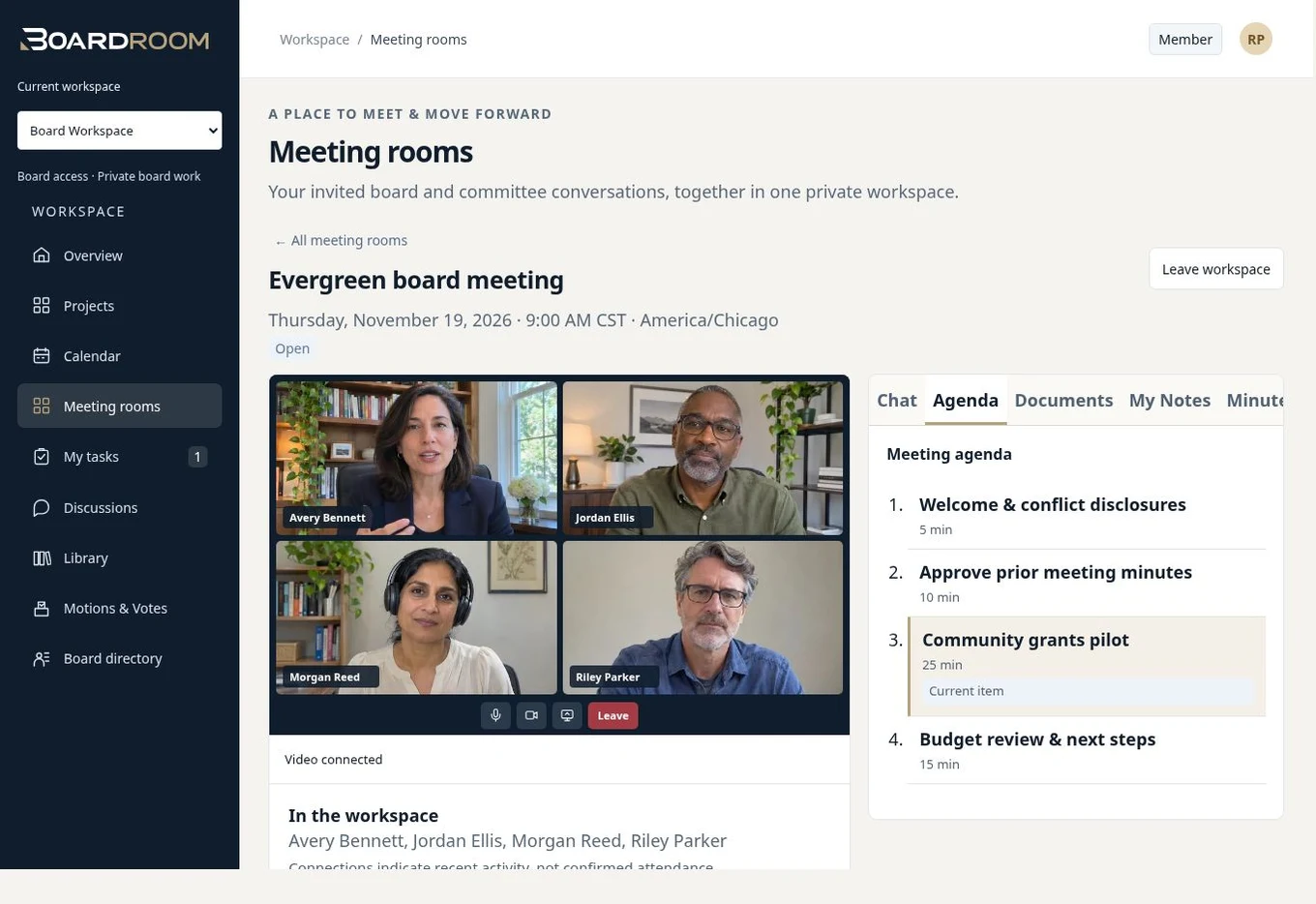
A meeting with the context close.
Discuss the proposal with the agenda, meeting documents, chat, and notes in the same workspace.
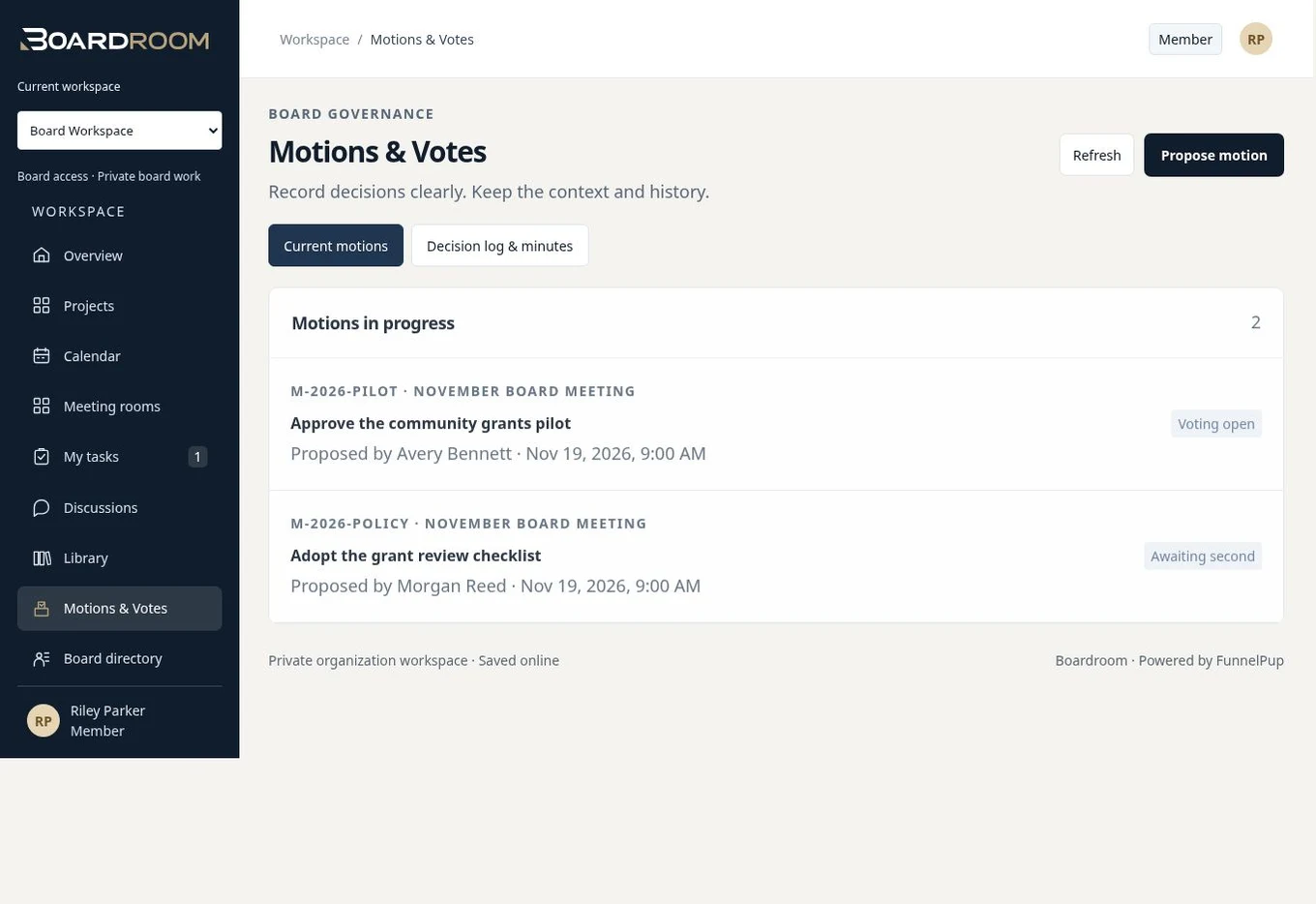
A decision you can return to.
Follow a motion and its supporting material through the board’s decision process.
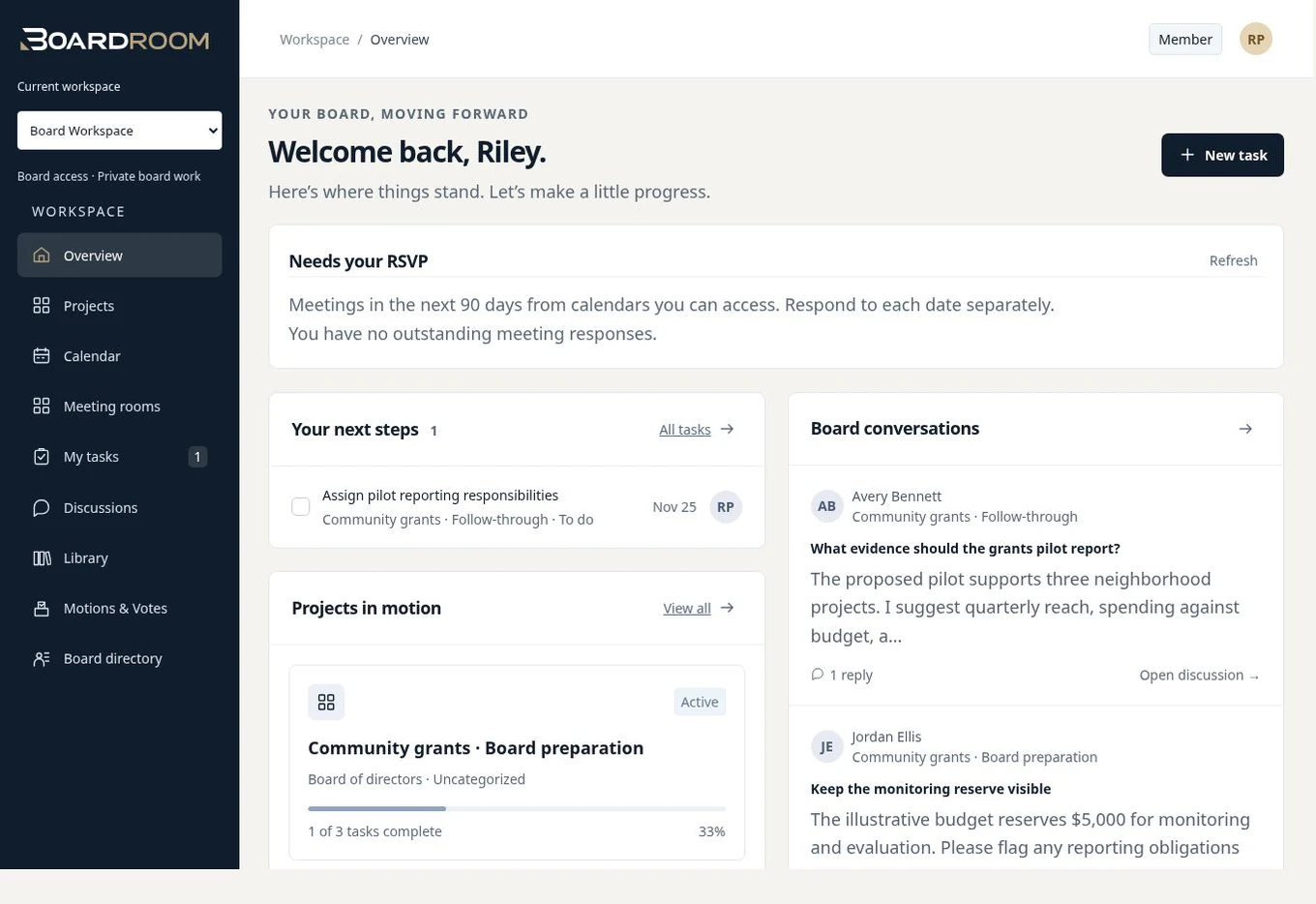
Give the next step an owner.
Return to projects, tasks, and conversations between meetings so the board can see what needs attention.
The product
The essentials.
In the same workspace.
Documents & Library
Give board packets, policies, and approved files a home.
Explore documents & libraryBoard & Committee Work
Connect projects, tasks, discussions, and committee work.
Explore board & committee workAn invitation to explore
Don’t just read about it.
Step inside.
Open the doors. Explore the room. Discover how the familiar parts of a boardroom become a connected digital workspace.
Who it’s for
Different missions.
Shared responsibility.
For the people trusted to prepare thoughtfully, make decisions, and carry work forward together.
Nonprofit boards
Keep the mission in view while organizing meetings, board materials, and follow-up.
Explore the fitAssociations & foundations
Give directors and committees continuity across initiatives, meetings, and changing responsibilities.
Explore the fitCommittees & working groups
Give focused work a relevant workspace, with membership that reflects the team doing it.
Explore the fitA considered approach
Private work.
Thoughtful access.
A public product website is the introduction. Board work belongs inside a signed-in organizational workspace.
The right people, in the right spaces.
Boardroom uses account verification, organization membership, and workspace permissions to determine access.
- Verified accounts for workspace sign-in
- Organization and committee membership
- Roles for administrative and member responsibilities
A few useful answers
Before you
pull up a chair.
What does Boardroom bring together?
Meetings, documents and reference materials, motions and votes, projects, tasks, and board or committee discussions. Explore the product pages or request a guided demonstration of the workflows that matter to your organization.
Can I explore without creating an account?
Yes. The interactive tour is open to explore without signing in. It uses fictional demonstration records. The presenter demo and organizational workspaces require authorized access.
Does the tour show a real organization’s information?
No. The tour uses fictional records, and meeting participants shown in its previews are staged. It is an introduction to the workspace, not a public view into a customer’s board.
How do we get pricing?
Start with a conversation about your board, committees, membership, and implementation needs. Scope, pricing, onboarding, and support are confirmed in your proposal.
Will booking a demo create a subscription?
No. The demo form sends an inquiry to arrange a conversation. It does not create an account, book an automatic appointment, or begin a subscription.
Bring your board together.
See how your next meeting—and everything around it—could work in Boardroom.